What Is a DAM for Developers?
A practical guide to organizing project assets, serving clean URLs, and deciding when a developer-first DAM belongs in your workflow.
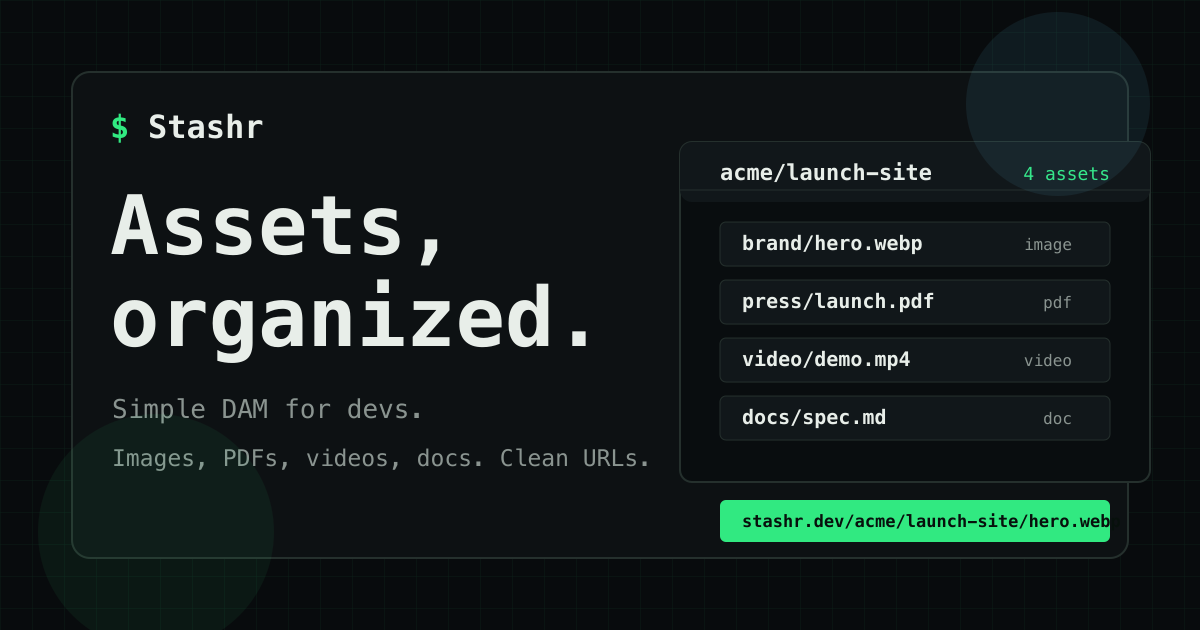
A digital asset manager (DAM) gives a team one deliberate place to organize, find, and deliver the files a product depends on. For developers, the useful version is less about a glossy media library and more about predictable paths, clean URLs, APIs, and a workflow that stays understandable as projects multiply.
What a DAM does
Most products rely on more media than the repository suggests. There are hero images, social previews, PDFs, demo videos, downloadable documents, partner logos, screenshots, and source files. Those assets often begin in a shared folder, a cloud drive, or an object-storage bucket.
That can work for a while. The friction appears when someone needs to answer simple questions:
- Which file is the current one?
- Which project owns it?
- Is this URL safe to use in production?
- Can the image be resized without creating another copy?
- Who can upload or replace assets?
- How much storage and delivery is the project using?
A DAM adds structure around those questions. It keeps assets organized, gives them useful metadata, and provides a controlled way to publish or retrieve them.
Why ordinary file storage starts to hurt
General file storage is designed to keep files. It is not always designed around the way applications consume them.
A folder shared by a team may contain the right image, but the application still needs a stable URL. An object-storage bucket can provide that URL, but developers then have to manage naming rules, uploads, permissions, transforms, and delivery behaviour themselves. Copying files into a public directory works until the same asset is needed by several sites, environments, or campaigns.
The technical problem is rarely the file itself. It is the growing collection of small decisions around the file.
A developer-focused DAM should make those decisions visible and repeatable without turning asset management into another platform project.
The capabilities that matter to developers
Project-based organization
Assets should be grouped by the product or site that owns them. A clear project boundary makes it easier to browse files, assign API access, understand usage, and avoid accidental cross-project changes.
Folders remain useful inside a project, but the project is the stronger boundary. It reflects how software is built, deployed, and maintained.
Clean delivery URLs
A production asset URL should be readable and intentional. A path such as /acme/launch-site/brand/hero.webp tells a developer where the asset belongs without exposing an internal database identifier or storage-provider key.
Clean URLs are also easier to review in code, documentation, content systems, and support conversations.
APIs that match the workflow
A web interface is useful for browsing and occasional uploads. Repeatable work benefits from an API.
Developers may need to upload assets from a build tool, connect a CMS, populate a project during deployment, or list files inside an internal application. API keys should be scoped, revocable, and kept out of browser code.
The interface should be simple enough that a small script can use it without adopting a large SDK. Stashr's API documentation covers authentication, uploads, folders, projects, delivery, and image transforms.
Delivery and image transforms
Applications often need several presentations of one source image. A listing card, social preview, and full-width hero should not require three manually maintained uploads.
Image transforms let the delivery layer create the required size or format from a source asset. That keeps the library smaller and makes presentation choices explicit at the point where the asset is used.
Visible limits and usage
Storage and delivery are different concerns. A small library can generate substantial traffic, while a large archive may be downloaded rarely.
A useful DAM reports both. Teams can then see whether a project is accumulating files, serving more traffic, or approaching its plan limits before delivery becomes a surprise.
A practical evaluation checklist
| Question | Why it matters |
|---|---|
| Can assets be separated by project? | Ownership stays clear as the account grows. |
| Are public URLs readable and stable? | Integrations are easier to review and maintain. |
| Can uploads and listings be automated? | The DAM can join an existing development workflow. |
| Are API keys scoped and revocable? | Automation does not require sharing a primary account credential. |
| Are image transforms available? | One source can support several layouts and devices. |
| Are loading, errors, and usage visible? | Teams can understand failures and limits quickly. |
| Can common file types live together? | Images, PDFs, videos, and documents do not need separate libraries. |
The best choice is not necessarily the system with the longest feature list. It is the one whose boundaries match the team's real workflow.
A simple asset workflow
Start with one project and a naming convention that a new team member can understand. Group related files into folders, upload the source asset once, and use its clean delivery URL wherever the product needs it.
Keep API keys on the server or in a secure deployment environment. Use read-only access where a process only needs to list or retrieve assets. Revoke keys that are no longer used.
For images, keep a suitable source file and request the delivery size the interface needs. Avoid making near-identical copies unless they represent genuinely different creative assets.
Finally, review usage alongside releases and campaigns. Asset delivery is part of the production surface, so it deserves the same basic observability as any other dependency.
When Stashr fits
Stashr is designed for developers who want a straightforward asset library without building and operating a bespoke media pipeline. It organizes images, PDFs, videos, and documents by project, provides clean asset URLs, supports API-driven workflows, and exposes image optimization and delivery controls.
It is especially useful when assets are shared across product surfaces, managed outside a single source repository, or updated by people who should not need access to application code or storage infrastructure.
If that sounds like the missing layer in your workflow, start with a Stashr workspace or explore the developer docs.